Trusted Reports Logo

TrustedReports

HomeElectronics

Best KVM Switches for Two Computers in 2026

A KVM switch can make two computers feel like one tidy workstation—but only if it matches your displays, ports, and charging needs. Use this guide to compare the connections that matter before you buy.

Updated September 2026Independently researchedTop 8 picks

The right KVM switch lets two computers share a display setup and peripherals without a tangle of repeated connections. Start with the video ports and display modes your computers actually support, then compare USB speed, charging, and switching controls to fit how you work.

Choose a switch for your whole setup

Match the switch to your computers first. A KVM can only pass through the video and USB signals its connections support, so check the ports on both computers and your monitor before comparing headline resolutions. Pay particular attention to laptops: some switches use USB-C or Thunderbolt, while others require separate HDMI, DisplayPort, or VGA connections. An adapter may not carry video reliably, and some listings specifically warn against using one.

Count displays and check the exact mode. A dual-monitor switch can be a better fit for a multi-screen desk, but both computers need the necessary video outputs and support for multiple displays. Resolution alone is not the whole story: refresh rate can vary with the resolution, number of displays, computer, cables, and connection standard. Check the listing’s notes for the mode you want, including whether a Mac can extend its desktop or only mirror it.

Treat the USB connection as part of the choice. A high-bandwidth Thunderbolt link can carry data for demanding peripherals, while a switch with several USB-A ports may be enough for a keyboard, mouse, printer, or scanner. For external drives and other data-heavy devices, compare the stated transfer rate and confirm which ports provide it; the speed of one connection does not necessarily apply to every port. Some switches also require an extra power connection for devices that draw more power.

Decide whether laptop charging matters. USB Power Delivery lets a compatible switch charge a connected laptop while sharing data and video, reducing the need for a separate charger. Compare the stated wattage with your laptop’s charging needs; a lower-power output may not keep every laptop charged during demanding work. A listing that does not state charging support should not be assumed to provide it.

What to look for

Display Outputs — enough for your monitors. This is the maximum number of displays the switch says it can support at once. Choose a value that matches your desk, and confirm that each computer can drive that many screens through the connections available. A USB-only switch has no video outputs, so it shares peripherals rather than switching a monitor.

Max Display Mode — the resolution and refresh rate together. Compare the highest stated combination, not just a headline resolution: a listing might specify 8K@60Hz, for example, while a different mode applies when two screens are connected. A good value is one that meets or exceeds your monitor’s intended resolution and refresh rate for your actual setup. Check limitations such as mirrored-only output, required cables, or the need for particular graphics outputs.

USB Peripheral Ports — enough connections for your accessories. Count the ports available to shared devices, then consider what you need to plug in at the same time. Four ports can accommodate more accessories than a two-port design, but port type and speed matter too. For devices with higher power demands, look for a stated power input or powered design.

USB Data Rate — faster for large transfers. Compare the listed rate for the USB or shared-device connection, converting Mbps to Gbps when needed. A higher stated rate is useful for external storage and other data-heavy devices; keyboards and mice generally need far less. Listings may specify different speeds for different port types, so compare like with like rather than assuming every port reaches the maximum.

Laptop Charging — enough power for your computer. This figure is the stated USB Power Delivery output, not a guarantee that every laptop will charge at that rate. A useful value depends on your computer’s requirements, and more wattage can make a one-cable laptop setup more practical. If charging is not listed, plan to power the laptop separately.

Wired Remote Switch — handy when the main unit is out of reach. A wired controller lets you place the switch off the desktop and keep the button within easy reach. It is a good convenience if the KVM will sit behind a monitor or under a desk. Check the listing for supported switching methods: a remote button does not mean keyboard hotkey switching is available.

Check the fine print before ordering

Verify what the box includes. Listings vary on whether video cables, host cables, power adapters, and remote controllers are included. Length limits and cable standards can also affect whether a high-resolution mode works, so check the requirements for each computer-to-switch and switch-to-monitor connection. Budget for any missing cables rather than assuming a familiar connector is sufficient.

Read compatibility notes closely. Some models have restrictions for macOS, laptops, docking stations, or particular keyboard types. A dual-display KVM also cannot create a second independent display signal if a computer does not support one. Customer ratings and reviews can point to setup questions worth investigating, but confirm important compatibility details against the listing and your computer’s specifications.

Frequently Asked Questions

Swipe to compare all 8 picks →

At a glance
1SABRENT Thunderbolt 4 KVM Switch, 40Gbps, 4K@144Hz/8K@60Hz (SB-TB4K)
SABRENT Thunderbolt 4 KVM Switch
2AV Access KVM Switch 2 Monitors 2 Computers, KVM Dock for Laptop & Desktop
AV Access iDock C10 Dual-Monitor KVM Dock
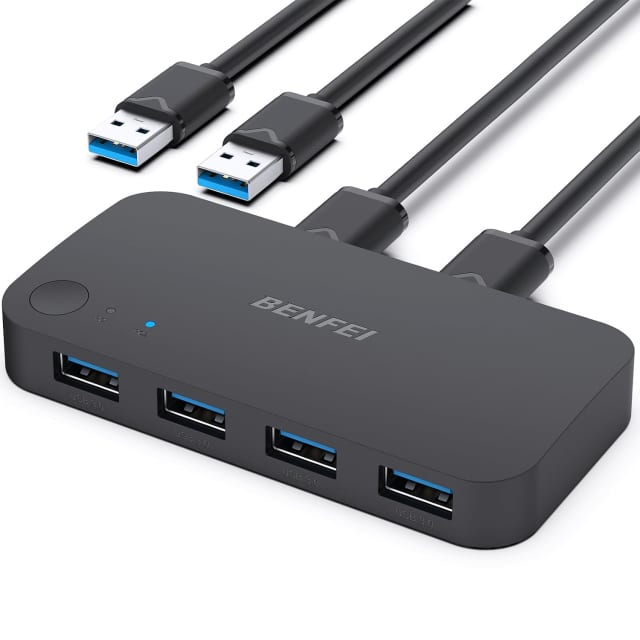
3BENFEI USB 3.0 Switch, USB Switch 2 Computers Share 4 USB for PC, Mouse, Keyboard, Printer, Scanner, USB KVM Switch Selector Compatible with Windows, Mac, Linux
BENFEI USB 3.0 Switch
4HDMI KVM Switch 1 Monitors 2 Computers 4K@60Hz USB KVM Switches 2 Ports for 2 PC Sharing Single Monitor and Keyboard Mouse with Wired Extend Controller Plug and Play
CMSTEDCD HDMI KVM Switch, 2 Computers/1 Monitor
5Displayport KVM Switch 2 Monitors 2 Computers 4K@144Hz USB3.0 KVM Switch for 2 Computers Share Dual Displays and 4 USB Devices Support Extended/Copy Mode with Desktop Controller
TJCXELE DisplayPort Dual-Monitor KVM Switch
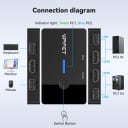
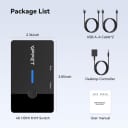
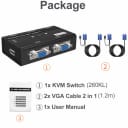
6MT-VIKI VGA KVM Switch, 2 Port USB VGA KVM Switch for 2 Computers Share 1 Monitor Keyboard Mouse Printer, + 2 KVM Cables
MT-VIKI 2-Port VGA KVM Switch
78K HDMI KVM Switch 2 Monitors 2 Computers, USB 3.0 Dual Monitor KVM Switch
VPFET 8K HDMI Dual-Monitor KVM Switch
8Unitek KVM Switch 2 Monitors 2 Computers HDMI Displayport Dual Monitor 2 PC
Unitek Dual-Monitor HDMI/DisplayPort KVM Switch
Our score9.9/109.6/109.3/109.0/108.7/108.4/108.1/107.8/10
Buyer rating
4.0
4.0
4.1
4.2
4.4
4.3
4.4
4.5
Display Outputs22012122
Max Display Mode8K@60Hz4K@60HzNot stated4K@60Hz4K@144Hz1920x1440@60Hz8K@60Hz4K@60Hz
USB Peripheral Ports76424344
USB Data Rate40 Gbps5 Gbps5 Gbps0.5 Gbps5 Gbps0.5 Gbps5 Gbps5 Gbps
Laptop Charging60 W60 W0 W0 W0 W0 W0 W0 W
Wired Remote SwitchNoNoNoYesYesNoYesYes
Buy
SABRENT Thunderbolt 4 KVM Switch, 40Gbps, 4K@144Hz/8K@60Hz (SB-TB4K)

SABRENT Thunderbolt 4 KVM Switch

Our score
9.9/10
Buyer rating
4.0
Price
$$$

This two-computer KVM switch lets you share Thunderbolt and USB peripherals while sending video to an external display. It has three Thunderbolt 4 ports and four USB-A ports, with listed transfer rates up to 40Gbps and 10Gbps respectively, plus push-button switching and up to 60W laptop charging. Display output reaches 8K at 60Hz with DSC 1.2 enabled; without it, 8K is limited to 30Hz. It includes an integrated 70cm cable and LED status indicators.

  • Switches between two host computers
  • Three Thunderbolt 4 and four USB-A ports
  • Up to 60W Power Delivery charging
  • Push-button source selection with LED indicators

available at Amazon

A feature-rich way to share a display and peripherals between two compatible computers, with high-speed ports and useful laptop charging.
Our take

Buy it if

You want one-button switching between two Thunderbolt or DP Alt Mode-capable computers and need to share several peripherals or charge a laptop.

Skip it if

Your computers lack Thunderbolt or DP Alt Mode support, or you need 8K at 60Hz without DSC 1.2.

How it scores

Performance
8.0
Ease of use
8.0
Value
6.0
Build quality
8.0

What buyers say

  • High-speed Thunderbolt and USB connectivity

  • Convenient switching and device sharing

  • 8K at 60Hz requires DSC 1.2

  • Host devices need Thunderbolt or DP Alt Mode support

Display Outputs
2
Max Display Mode
8K@60Hz
USB Peripheral Ports
7
USB Data Rate
40 Gbps
Laptop Charging
60 W
Wired Remote Switch
No

SABRENT Thunderbolt 4 KVM Switch

4.0

available at Amazon

AV Access KVM Switch 2 Monitors 2 Computers, KVM Dock for Laptop & Desktop

AV Access iDock C10 Dual-Monitor KVM Dock

Our score
9.6/10
Buyer rating
4.0
Price
$$$

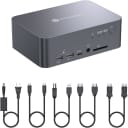
This docking station lets a USB-C laptop and desktop share two monitors, a keyboard, mouse, and connected peripherals, with switching handled by the KVM. It combines HDMI outputs, USB ports, an SD card reader, audio connections, Gigabit Ethernet for the laptop, and up to 60W USB-C charging. EDID emulation is intended to keep displays recognized while switching, and no software is required. Note that macOS supports mirrored output only; the listing also calls for direct connections without adapters or other docks.

  • Shares two monitors and peripherals across two computers
  • Includes five USB ports and an SD card reader
  • Provides up to 60W USB-C laptop charging
  • EDID emulation helps maintain monitor recognition when switching

available at Amazon

A versatile desk hub for switching between a laptop and desktop, but Mac users should note its mirrored-display limitation.
Our take

Buy it if

You want one setup for a USB-C laptop and desktop, with dual monitors, shared peripherals, Ethernet, and laptop charging in one dock.

Skip it if

You need extended dual displays from a MacBook, or your setup depends on adapters, converters, or another dock between the computers and this unit.

How it scores

Performance
8.0
Ease of use
7.0
Value
7.0
Build quality
8.0

What buyers say

  • Dual-monitor switching and peripheral sharing

  • Integrated ports and laptop charging

  • macOS supports mirrored displays only

  • Requires direct connections without intermediary adapters or docks

Display Outputs
2
Max Display Mode
4K@60Hz
USB Peripheral Ports
6
USB Data Rate
5 Gbps
Laptop Charging
60 W
Wired Remote Switch
No

AV Access iDock C10 Dual-Monitor KVM Dock

4.0

available at Amazon

BENFEI USB 3.0 Switch, USB Switch 2 Computers Share 4 USB for PC, Mouse, Keyboard, Printer, Scanner, USB KVM Switch Selector Compatible with Windows, Mac, Linux

BENFEI USB 3.0 Switch

Our score
9.3/10
Buyer rating
4.1
Price
$$$

This USB selector lets two computers share up to four USB peripherals, including keyboards, mice, printers, and storage devices. A push button and LED indicate which computer is connected, and the listing states transfer speeds up to 5Gbps with USB 2.0 backward compatibility. It works without driver installation across several operating systems. High-draw devices may need separate power, and the included power cable does not include an adapter; this model switches USB devices, not monitors.

  • Shares four USB devices between two computers
  • One-button switching with LED status
  • Up to 5Gbps USB 3.0 data transfer
  • Optional 5V 3A power input for demanding devices

available at Amazon

A straightforward way to share USB accessories between two computers, but it does not switch displays.
Our take

Buy it if

You want one-button sharing for USB peripherals across two computers and can use the included USB-A connection cables.

Skip it if

You need a single switch for both USB devices and monitors, or need power for high-draw peripherals without supplying your own adapter.

How it scores

Performance
7.5
Ease of use
8.5
Value
8.5
Build quality
7.0

What buyers say

  • Simple setup and convenient one-button switching

    62% of reviews
  • Reliable sharing of keyboards, mice, and other devices

    54% of reviews
  • Some cable or computer compatibility issues

    15% of reviews
  • Does not switch monitors or displays

    8% of reviews
Display Outputs
0
Max Display Mode
Not stated
USB Peripheral Ports
4
USB Data Rate
5 Gbps
Laptop Charging
0 W
Wired Remote Switch
No

BENFEI USB 3.0 Switch

4.1

available at Amazon

HDMI KVM Switch 1 Monitors 2 Computers 4K@60Hz USB KVM Switches 2 Ports for 2 PC Sharing Single Monitor and Keyboard Mouse with Wired Extend Controller Plug and Play

CMSTEDCD HDMI KVM Switch, 2 Computers/1 Monitor

Our score
9.0/10
Buyer rating
4.2
Price
$$$

This two-computer, one-monitor HDMI KVM lets you share a display, keyboard, and mouse, switching between PCs with a button or the included wired desktop controller. It supports up to 4K at 60Hz and includes two USB 2.0 ports for peripherals. Setup is plug-and-play with no external power supply, but HDMI cables are not included; the listing calls for short, high-quality HDMI 2.0 cables and warns that adapters may cause signal problems. Mac use is not recommended.

  • Switches between two computers on one display
  • Supports resolutions up to 4K at 60Hz
  • Includes a wired desktop switching controller
  • Two USB 2.0 peripheral ports

available at Amazon

A compact, straightforward way to share one HDMI monitor and USB peripherals between two PCs, with important cable and compatibility caveats.
Our take

Buy it if

You have two PCs and one HDMI monitor, use suitable short HDMI cables, and want a physical or wired remote button for switching.

Skip it if

You need hotkey switching, rely on video adapters, want included HDMI cables, or need a KVM specifically recommended for Mac use.

How it scores

Performance
7.0
Ease of use
7.0
Value
8.0
Build quality
7.0

What buyers say

  • One-button switching between two PCs

  • Plug-and-play setup without external power

  • Adapters may cause unstable or failed video transmission

  • No hotkey switching; Mac use is not recommended

Display Outputs
1
Max Display Mode
4K@60Hz
USB Peripheral Ports
2
USB Data Rate
0.5 Gbps
Laptop Charging
0 W
Wired Remote Switch
Yes

CMSTEDCD HDMI KVM Switch, 2 Computers/1 Monitor

4.2

available at Amazon

Displayport KVM Switch 2 Monitors 2 Computers 4K@144Hz USB3.0 KVM Switch for 2 Computers Share Dual Displays and 4 USB Devices Support Extended/Copy Mode with Desktop Controller

TJCXELE DisplayPort Dual-Monitor KVM Switch

Our score
8.7/10
Buyer rating
4.4
Price
$$$

This two-computer DisplayPort KVM routes video to dual monitors and lets attached USB peripherals move between the systems. It supports extended or mirrored display modes and advertises up to 4K at 144 Hz, provided the computers, graphics hardware, monitors, and cables also support that signal. A complete dual-screen installation requires six DisplayPort cables, which are not included; the box does include two USB-A 3.0 cables, a 12V adapter, wired controller, and manual.

  • USB 3.0 data transfer rates up to 5 Gbps
  • Aluminum construction
  • Backward compatible with DisplayPort 1.2

available at Amazon

A capable dual-screen switching hub, but plan for a cable-heavy setup and check compatibility before buying.
Our take

Buy it if

You regularly alternate between two computers and want a single switching point for a shared dual-monitor workstation.

Skip it if

You need keyboard-hotkey switching, or would rather avoid sourcing and connecting the required video cables.

How it scores

Performance
8.0
Ease of use
6.0
Value
7.0
Build quality
6.0

What buyers say

  • Dual-display switching with extended or mirrored modes

  • High-refresh 4K support with compatible equipment

  • DisplayPort cables for a full setup are not included

  • Keyboard hotkey switching is unsupported

Display Outputs
2
Max Display Mode
4K@144Hz
USB Peripheral Ports
4
USB Data Rate
5 Gbps
Laptop Charging
0 W
Wired Remote Switch
Yes

TJCXELE DisplayPort Dual-Monitor KVM Switch

4.4

available at Amazon

MT-VIKI VGA KVM Switch, 2 Port USB VGA KVM Switch for 2 Computers Share 1 Monitor Keyboard Mouse Printer, + 2 KVM Cables

MT-VIKI 2-Port VGA KVM Switch

Our score
8.4/10
Buyer rating
4.3
Price
$$$

Designed to let two VGA-equipped computers use one monitor and share USB input devices, this switch changes the active system with a physical button. It has three USB 2.0 ports for peripherals such as a keyboard, mouse, printer or storage device, and the listing specifies support up to 1920 × 1440 at 60 Hz. Two 1.2 m VGA/USB host cables are included, but you’ll need a separate VGA cable to connect the monitor and your own keyboard and mouse; the listing says mechanical keyboards and mice are unsupported. Some users report needing careful startup order or troubleshooting display detection.

  • Includes two 1.2 m VGA/USB host cables
  • Supports up to 1920 × 1440 at 60 Hz
  • Three USB 2.0 ports for shared peripherals
  • Push-button switching between computers

available at Amazon

A practical basic switch for older VGA setups, though connection details and startup order may take some care.
Our take

Buy it if

You need to switch between two computers on a VGA monitor while sharing USB peripherals, and your keyboard and mouse are not mechanical.

Skip it if

Your setup uses a docking station, mechanical keyboard or mouse, or you need a modern video connection without adapters.

How it scores

Performance
7.0
Ease of use
7.0
Value
9.0
Build quality
6.0

What buyers say

  • Switches reliably between computers for many users

    67% of reviews
  • Straightforward setup and useful desk-space savings

    33% of reviews
  • Some setups need careful startup order or display troubleshooting

    17% of reviews
  • One report of intermittent USB storage recognition

    8% of reviews
Display Outputs
1
Max Display Mode
1920x1440@60Hz
USB Peripheral Ports
3
USB Data Rate
0.5 Gbps
Laptop Charging
0 W
Wired Remote Switch
No

MT-VIKI 2-Port VGA KVM Switch

4.3

available at Amazon

8K HDMI KVM Switch 2 Monitors 2 Computers, USB 3.0 Dual Monitor KVM Switch

VPFET 8K HDMI Dual-Monitor KVM Switch

Our score
8.1/10
Buyer rating
4.4
Price
$$$

This HDMI KVM switch connects two computers to two monitors and lets one keyboard, mouse, and other USB peripherals serve the selected computer. The listing specifies video support up to 8K at 60 Hz or 4K at 120 Hz, subject to compatible computers, displays, and cables, plus four USB 3.0 ports for shared accessories. Switching is by the unit's button or included wired controller; it needs the included 12V adapter, and dual-monitor use requires each computer to provide two HDMI outputs and support extended or mirrored display.

  • USB 3.0 data transfer up to 5 Gbps
  • Compatible with Windows, Mac, Linux, and Unix
  • Metal enclosure

available at Amazon

A feature-rich option for sharing a dual-HDMI desk setup, but check your computer outputs and cables carefully before buying.
Our take

Buy it if

You want to switch two HDMI-equipped computers between two monitors while sharing USB peripherals, and your systems meet the dual-output requirement.

Skip it if

You need keyboard hotkey switching or rely on passive video adapters; the listing says hotkeys are unsupported and passive adapters may not carry video.

How it scores

Performance
8.0
Ease of use
7.0
Value
7.0
Build quality
7.0

What buyers say

  • Works as expected for switching between computers

    62% of reviews
  • Easy setup and a compact, solid-feeling unit

    23% of reviews
  • Cable or connection compatibility can be finicky

    31% of reviews
  • Some reports of improper operation or a power issue

    15% of reviews
Display Outputs
2
Max Display Mode
8K@60Hz
USB Peripheral Ports
4
USB Data Rate
5 Gbps
Laptop Charging
0 W
Wired Remote Switch
Yes

VPFET 8K HDMI Dual-Monitor KVM Switch

4.4

available at Amazon

Unitek KVM Switch 2 Monitors 2 Computers HDMI Displayport Dual Monitor 2 PC

Unitek Dual-Monitor HDMI/DisplayPort KVM Switch

Our score
7.8/10
Buyer rating
4.5
Price
$$$

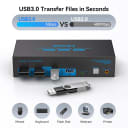
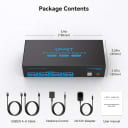
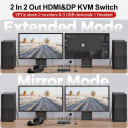
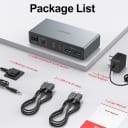
This KVM switch lets two desktop computers share a pair of monitors and connected USB peripherals, using HDMI and DisplayPort video connections. It offers push-button switching on the unit or a wired desktop controller, plus USB 3.0 ports and a supplied 5V/2A adapter for attached devices. The listing claims support up to 4K at 60Hz and plug-and-play operation; owners report reliable image switching, though cable choice and display behavior after switching can affect setup.

  • Connects two computers to two monitors
  • Switches from the unit or wired controller
  • Includes a 5V/2A power adapter

available at Amazon

A capable dual-display switch with convenient controls, but check host compatibility and display setup details before buying.
Our take

Buy it if

You want two desktop computers to share HDMI and DisplayPort monitors and USB peripherals, with switching available from a wired controller.

Skip it if

Your setup depends on laptop compatibility or you need displays to retain their window arrangement whenever you switch systems.

How it scores

Performance
8.0
Ease of use
7.0
Value
8.0
Build quality
8.0

What buyers say

  • Reliable switching and image quality

    55% of reviews
  • Useful dual-monitor and multi-computer setup

    40% of reviews
  • Some setups need upgraded cables or audio configuration

    20% of reviews
  • Displays may rearrange or fail to wake smoothly after switching

    15% of reviews
Display Outputs
2
Max Display Mode
4K@60Hz
USB Peripheral Ports
4
USB Data Rate
5 Gbps
Laptop Charging
0 W
Wired Remote Switch
Yes

Unitek Dual-Monitor HDMI/DisplayPort KVM Switch

4.5

available at Amazon