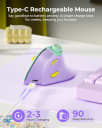
Trusted Reports Logo

TrustedReports

HomeOfficeMice

Best Mice for Wrist Pain in 2026

A mouse that feels comfortable can change the rhythm of a long workday. Compare control style, fit, and practical details to find an option that suits your hands and habits.

Updated September 2026Independently researchedTop 8 picks

The right mouse for wrist discomfort is the one that lets you work with less reaching, gripping, or awkward wrist positioning—and that feels natural enough to keep using. Think about your hand size, desk layout, preferred controls, and whether you need to move between devices before choosing.

What to look for

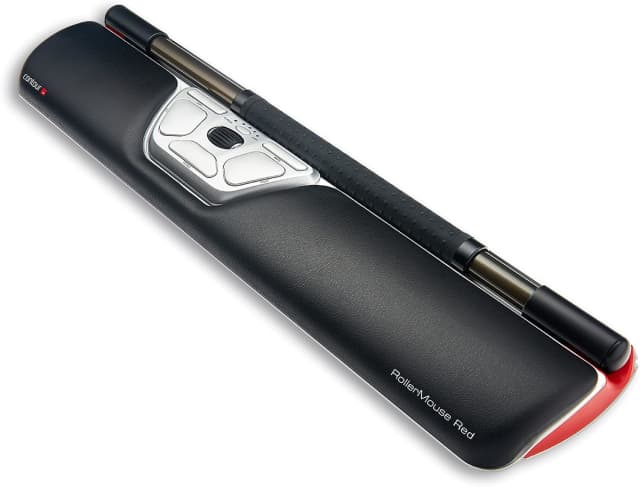
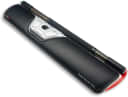
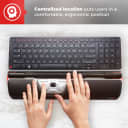
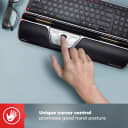
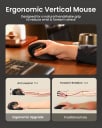
Start with the control style. A centralized rollerbar sits in front of the keyboard and lets you move the pointer without reaching to either side; it may suit people who want to keep their hands near the center of the desk. Vertical mice are held at a more upright angle and may feel more natural to people who prefer a familiar hand-held mouse shape. There is no universally best style, so prioritize a design that lets your forearm and wrist rest comfortably.

Check the wrist support. A support pad can cushion the heel of your hand while you work, but it should not force your wrist to bend or press hard against the desk. A detachable support is useful if you want to adjust your setup or remove the pad. Look for clear information about whether support is included and whether it fits your hand size and available desk space.

Look past the button count. Programmable buttons can put frequent actions within reach, but more buttons are not automatically more comfortable. A good choice has controls you can reach without stretching or changing your grip, and software compatibility matters if you plan to customize them. Compare the stated number of programmable buttons rather than assuming every extra button can be reassigned.

Match the connection to your setup. Wired mice avoid batteries and wireless pairing, while wireless options can clear cable clutter. A 2.4 GHz receiver usually occupies a USB port; Bluetooth can be convenient for laptops and tablets that support it. If you switch among devices, check that the listing explicitly supports the connection modes and device switching you need.

Treat DPI as a preference, not a comfort rating. DPI describes how far the pointer moves in response to mouse movement; a higher maximum is not inherently better for wrist comfort. Adjustable sensitivity can help you find a pace that feels controlled without large movements. Compare the maximum only when a numeric value is listed, and remember that the usable range and adjustment method matter too.

Fit and adjustment matter

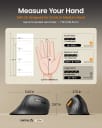
A new shape can take time to learn. Vertical and centralized controls change familiar movements, so the first few sessions may feel slower or less precise. If possible, choose a seller with a clear return policy and give a new design a gradual trial rather than judging it after a brief test. Check any stated hand-size guidance before ordering; a mouse that is too large or too small can be harder to control comfortably.

Set up your whole workstation. Keep the mouse close to the keyboard, relax your grip, and position your forearm so you do not have to reach or hold your wrist at an angle. A comfortable mouse cannot make up for an awkward desk height or long stretches without breaks. If pain persists, worsens, or includes numbness or weakness, consider getting advice from a qualified health professional.

Choose for the way you work

Favor the movement you want to reduce. If reaching sideways and gripping a handheld mouse are the main frustrations, a centered control method is worth considering. If you want a more familiar mouse motion but a different resting angle, compare vertical shapes and check the hand-fit notes. For quieter shared spaces or multi-device setups, verify those specific features in the listing rather than assuming they come with an ergonomic design.

Frequently Asked Questions

Swipe to compare all 8 picks →

At a glance
1Contour RollerMouse Red Ergonomic Mouse with Memory Foam Palm Support | Ideal for RSI & Carpal Tunnel | Mac & PC Compatible | Ambidextrous Mouse for PC, Mac & Laptop - Wireless
Contour RollerMouse Red
2SOLAKAKA SM900 Wired Gaming Mouse with Honeycomb Shell,12800 DPI,7 Programmable Buttons,Lightweight Gaming Mice Ergonomic Computer Mouse Gaming for Windows/PC/Mac/Laptop Gamer (Pink)
SOLAKAKA SM900 Wired Gaming Mouse
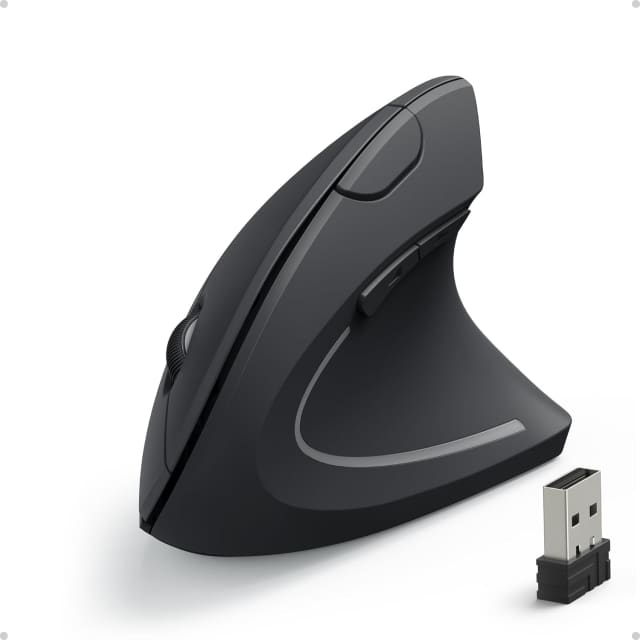
3Anker 2.4G Wireless Ergonomic Mouse, Right Hand Vertical Mouse USB Receiver
Anker 2.4G Wireless Ergonomic Mouse
4Uineer Ergonomic Wireless Vertical Mouse, 3-Mode Bluetooth 5.0/4.0 & 2.4GHz
Uineer Ergonomic Wireless Vertical Mouse
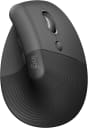
5Logitech Lift Vertical Ergonomic Wireless Mouse - Graphite
Logitech Lift Vertical Wireless Mouse
6TECKNET Ergonomic Mouse, 4800 DPI Wireless Bluetooth Vertical, 3-Device
TECKNET Ergonomic Vertical Mouse
7ProtoArc EM11 NL Wireless Ergonomic Vertical Mouse, Rechargeable, Black
ProtoArc EM11 NL Vertical Mouse
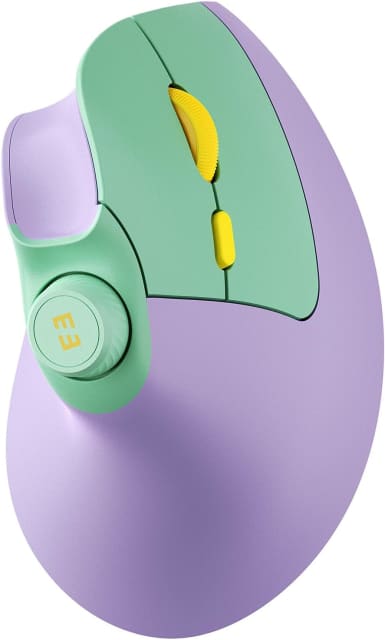
8seenda MOU-302 Wireless Bluetooth Ergonomic Vertical Mouse with Volume Knob
Seenda MOU-302 Ergonomic Vertical Mouse
Our score9.9/109.6/109.3/109.0/108.7/108.4/108.1/107.8/10
Buyer rating
4.3
4.5
4.2
4.4
4.4
4.4
4.4
4.6
Control Stylecentralized rollerbarconventionalverticalverticalverticalverticalverticalvertical
Wrist SupportYesNoNoNoNoNoNoNo
Programmable Buttons6700400N/A
ConnectionBluetooth, USBwired2.4 GHz USB receiverBluetooth 5.0, Bluetooth 4.0, 2.4 GHz USB receiverBluetooth, 2.4 GHz Logi Bolt USB receiverBluetooth, 2.4 GHz receiverBluetooth, 2.4 GHz USB-A receiver2.4 GHz receiver, Bluetooth
Maximum DPI2,800 DPI12,800 DPI1,600 DPI3,200 DPI4,000 DPI4,800 DPI2,400 DPI2,400 DPI
Buy
Contour RollerMouse Red Ergonomic Mouse with Memory Foam Palm Support | Ideal for RSI & Carpal Tunnel | Mac & PC Compatible | Ambidextrous Mouse for PC, Mac & Laptop - Wireless

Contour RollerMouse Red

Our score
9.9/10
Buyer rating
4.3
Price
$$$

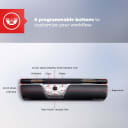
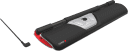
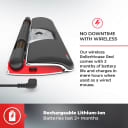
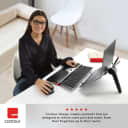
Designed to sit in front of a keyboard, this mouse uses a rollerbar to move the cursor and supports control without gripping or reaching for a side-mounted mouse. Its scroll wheel and six pre-programmed functions cover common tasks, including clicks, copy and paste, and cursor-speed adjustment. A detachable memory-foam palm support is included. The listing describes it as wireless and compatible with Mac and PC; reviewers report comfortable use and a short adjustment period.

  • Rollerbar moves the cursor without a conventional mouse grip
  • Six pre-programmed functions, including copy and paste
  • Detachable memory-foam palm support
  • Ambidextrous design for Mac and PC

available at Amazon

A specialized, front-of-keyboard mouse with strong ergonomic appeal, but confirm you are receiving the wireless version and expect an adjustment period.
Our take

Buy it if

You spend long hours at a computer and want centralized cursor control, ambidextrous use, and a palm support rather than a conventional mouse grip.

Skip it if

You prefer a familiar side mouse, need an especially slow pointer setting, or cannot verify that the unit supplied is wireless.

How it scores

Performance
8.0
Ease of use
7.0
Value
6.0
Build quality
7.0

What buyers say

  • Comfort and reduced hand, wrist, shoulder, or arm strain

    75% of reviews
  • Central rollerbar control and easy switching between hands

    36% of reviews
  • High cost relative to ordinary mice

    21% of reviews
  • Adjustment, padding, or wireless-version confusion

    36% of reviews
Control Style
centralized rollerbar
Wrist Support
Yes
Programmable Buttons
6
Connection
Bluetooth, USB
Maximum DPI
2,800 DPI

Contour RollerMouse Red

4.3

available at Amazon
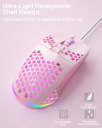
SOLAKAKA SM900 Wired Gaming Mouse with Honeycomb Shell,12800 DPI,7 Programmable Buttons,Lightweight Gaming Mice Ergonomic Computer Mouse Gaming for Windows/PC/Mac/Laptop Gamer (Pink)

SOLAKAKA SM900 Wired Gaming Mouse

Our score
9.6/10
Buyer rating
4.5
Price
$$$

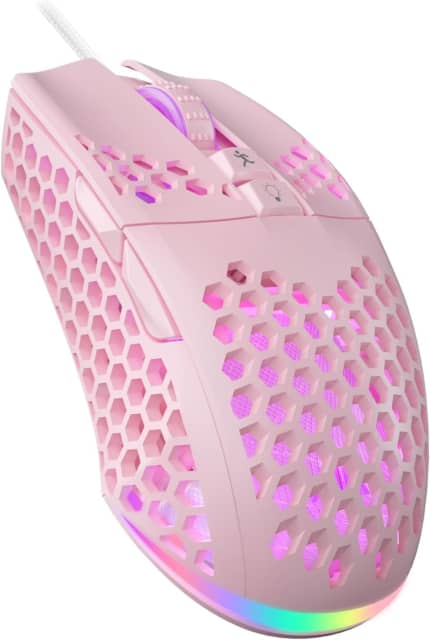
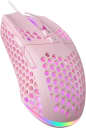
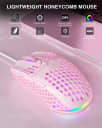
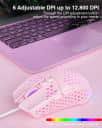
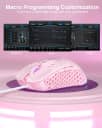
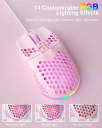
This wired optical gaming mouse has a honeycomb shell, seven programmable buttons and adjustable sensitivity across six DPI levels, up to 12,800. It connects by USB and works out of the box, while downloadable software adds options for button assignments, macros, lighting and performance settings. Reviewers often describe it as lightweight, comfortable and smooth to move, though some report a clunky-feeling scroll wheel and concerns about side-button or software behavior.

  • Six adjustable DPI levels, up to 12,800
  • Seven programmable buttons with macro support
  • Honeycomb shell designed for airflow
  • Customizable RGB lighting effects

available at Amazon
A feature-rich, lightweight wired mouse for everyday use and gaming, with some reported rough edges in the wheel and customization software.
Our take

Buy it if

You want a lightweight wired mouse with adjustable DPI, programmable buttons and customizable RGB lighting, and don’t mind installing software for extra controls.

Skip it if

You need a consistently refined scroll wheel or highly dependable side buttons and software customization.

How it scores

Performance
7.5
Ease of use
8.0
Value
8.5
Build quality
6.5

What buyers say

  • Lightweight feel and smooth movement

    56% of reviews
  • Comfortable use and customizable lighting

    44% of reviews
  • Scroll wheel feels clunky or unusual

    22% of reviews
  • Some concerns about side buttons or software

    22% of reviews
Control Style
conventional
Wrist Support
No
Programmable Buttons
7
Connection
wired
Maximum DPI
12,800 DPI

SOLAKAKA SM900 Wired Gaming Mouse

4.5

available at Amazon

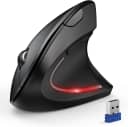
Uineer Ergonomic Wireless Vertical Mouse, 3-Mode Bluetooth 5.0/4.0 & 2.4GHz

Uineer Ergonomic Wireless Vertical Mouse

Our score
9.0/10
Buyer rating
4.4
Price
$$$

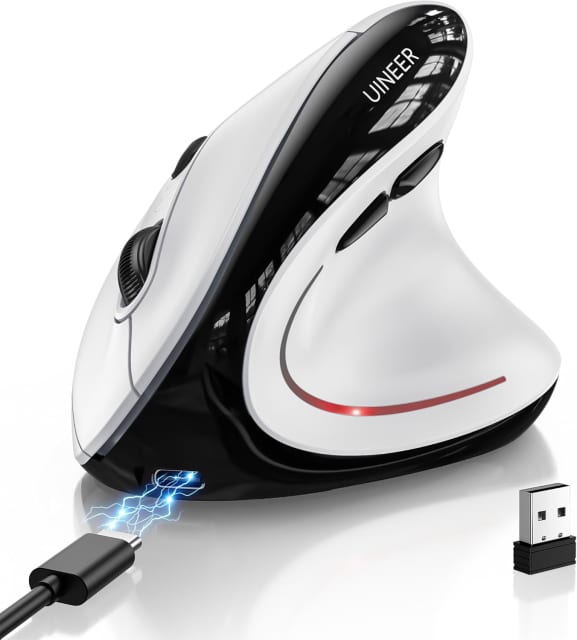
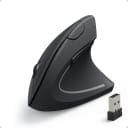
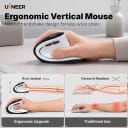
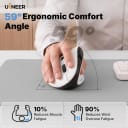
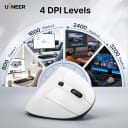
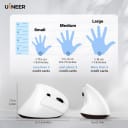
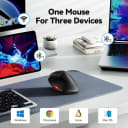
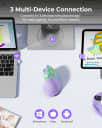
This right-handed vertical mouse offers a 59-degree grip, three wireless connection options, and switching between up to three devices. It has adjustable cursor sensitivity, quiet left and right buttons, side navigation controls, and horizontal scrolling. A rechargeable battery and USB-C charging add convenience, while the vertical shape may take time to get used to; the listing suggests allowing one to two weeks to adapt.

  • Connects via Bluetooth 5.0, Bluetooth 4.0, or 2.4GHz USB
  • Switches between up to three devices
  • Adjustable sensitivity with four listed DPI settings
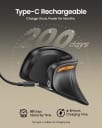
  • Rechargeable battery with USB-C charging

available at Amazon
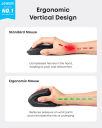
A feature-packed vertical mouse for multi-device setups, though the unfamiliar grip may need an adjustment period.
Our take

Buy it if

You want a right-handed vertical shape, quiet main buttons, and the flexibility to connect with Bluetooth or a USB receiver.

Skip it if

You need an ambidextrous mouse or prefer a familiar flat shape without an adaptation period.

How it scores

Performance
7.0
Ease of use
7.0
Value
8.0
Build quality
6.0

What buyers say

  • Vertical ergonomic shape intended to support a more natural grip

  • Multiple connection modes and device switching

  • Vertical design may take one to two weeks to get used to

  • Listing provides conflicting DPI figures in different sections

Control Style
vertical
Wrist Support
No
Programmable Buttons
0
Connection
Bluetooth 5.0, Bluetooth 4.0, 2.4 GHz USB receiver
Maximum DPI
3,200 DPI

Uineer Ergonomic Wireless Vertical Mouse

4.4

available at Amazon
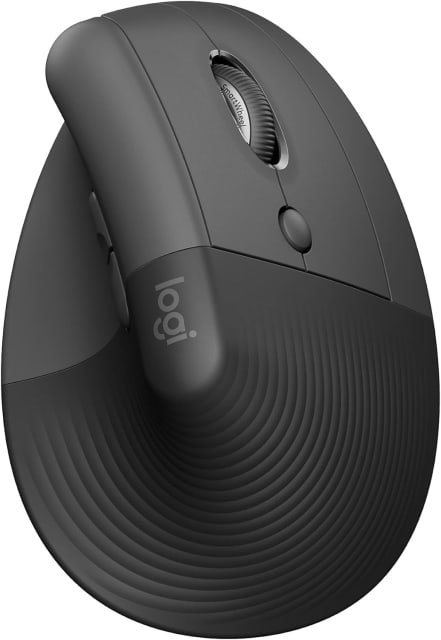
Logitech Lift Vertical Ergonomic Wireless Mouse - Graphite

Logitech Lift Vertical Wireless Mouse

Our score
8.7/10
Buyer rating
4.4
Price
$$$

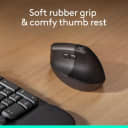
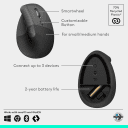
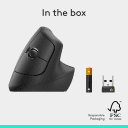
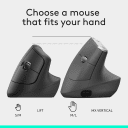
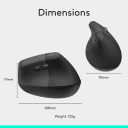
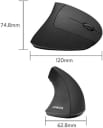
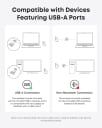
This right-handed wireless mouse uses a 57-degree vertical shape intended to support a more natural hand and forearm position, with a textured grip and thumb rest. It connects through Bluetooth or the included Logi Bolt receiver and can switch among up to three devices. The scroll wheel supports precise or faster scrolling, while customizable buttons require Logitech Options+ software on Windows or macOS. It runs on one AA battery, with a listed battery life of up to 24 months.

  • 57-degree vertical hand position
  • Bluetooth or included Logi Bolt receiver
  • Switch between up to three devices
  • Single AA battery with up to 24 months listed life

available at Amazon
A comfort-focused vertical mouse with useful wireless and scrolling features, though its shape and right-handed fit take some adjustment.
Our take

Buy it if

You want a vertical grip for long work sessions, quiet clicks, and the option to pair with multiple devices.

Skip it if

You need a compact travel mouse, a left-handed layout, or programmable shortcuts that work without desktop software.

How it scores

Performance
8.0
Ease of use
7.0
Value
7.0
Build quality
7.0

What buyers say

  • Comfortable vertical shape and reduced wrist strain

    77% of reviews
  • Quiet clicks and smooth, versatile scrolling

    46% of reviews
  • Unusual shape takes adjustment and can be bulky to pack

    23% of reviews
  • Software dependence, limited features, or button durability concerns

    23% of reviews
Control Style
vertical
Wrist Support
No
Programmable Buttons
4
Connection
Bluetooth, 2.4 GHz Logi Bolt USB receiver
Maximum DPI
4,000 DPI

Logitech Lift Vertical Wireless Mouse

4.4

available at Amazon
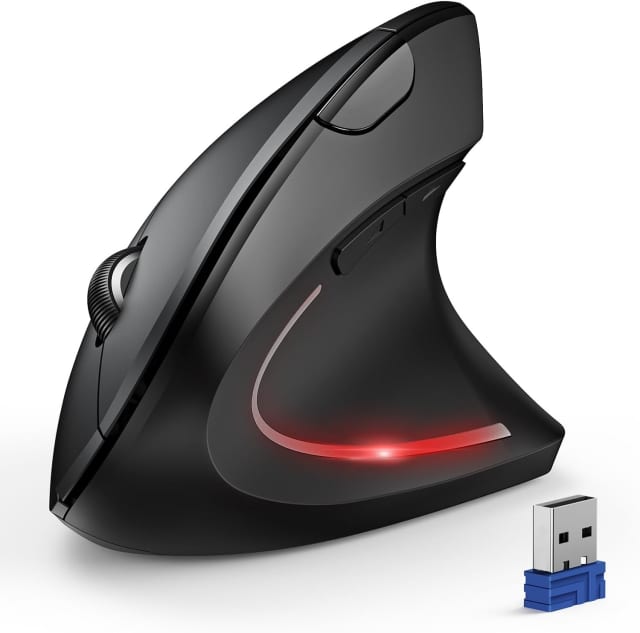
TECKNET Ergonomic Mouse, 4800 DPI Wireless Bluetooth Vertical, 3-Device

TECKNET Ergonomic Vertical Mouse

Our score
8.4/10
Buyer rating
4.4
Price
$$$

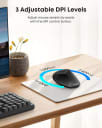
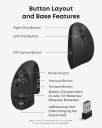
Designed for right-handed users, this battery-powered vertical mouse tilts the palm toward a near-vertical position, aiming to reduce wrist pressure during extended computer use. It connects over Bluetooth 5.0/3.0 or 2.4GHz USB-A, with Bluetooth able to maintain two device connections and a button to switch modes. Sensitivity ranges across six settings from 800 to 4,800 DPI. Left and right clicks are nearly silent, but other function buttons are not. It requires two AAA batteries, which are not included.

  • USB receiver stores in the mouse base
  • Enters deep sleep after inactivity
  • Three-year warranty when registered

available at Amazon
A feature-rich vertical mouse for right-handed users, with flexible connections and adjustable sensitivity; allow time to adapt to its shape.
Our take

Buy it if

You have a medium-to-large right hand and want a vertical grip, multi-device connectivity, or quieter primary clicks.

Skip it if

You need a left-handed mouse, have small hands, or don’t want to adjust to a different grip; the listing suggests adaptation may take about a week.

How it scores

Performance
7.0
Ease of use
7.0
Value
8.0
Build quality
6.0

What buyers say

  • Near-vertical grip intended to reduce wrist pressure

  • Multiple connection modes and adjustable DPI

  • Right-handed design only

  • Requires two AAA batteries, not included

Control Style
vertical
Wrist Support
No
Programmable Buttons
0
Connection
Bluetooth, 2.4 GHz receiver
Maximum DPI
4,800 DPI

TECKNET Ergonomic Vertical Mouse

4.4

available at Amazon
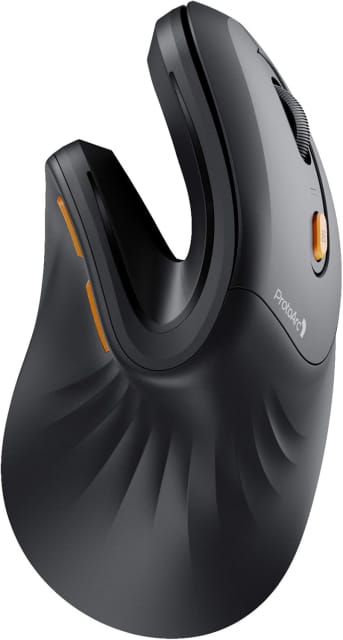
ProtoArc EM11 NL Wireless Ergonomic Vertical Mouse, Rechargeable, Black

ProtoArc EM11 NL Vertical Mouse

Our score
8.1/10
Buyer rating
4.4
Price
$$$

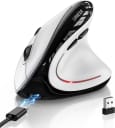
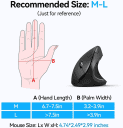
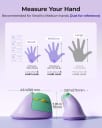
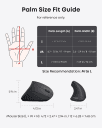
This right-handed wireless mouse uses a 58° vertical shape intended to encourage a more natural hand position, and is recommended for hands under 7.5 inches. It can connect to as many as three devices through Bluetooth and a USB-A receiver, with adjustable 1000, 1600, and 2400 DPI settings. The built-in battery recharges over USB-C. Expect an adjustment period; its buttons are not programmable, and the forward/back buttons do not work with Mac systems.

  • 58° vertical grip design
  • Connects to up to three devices
  • Rechargeable with USB-C
  • Three adjustable DPI settings

available at Amazon
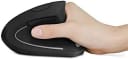
A feature-rich vertical mouse for smaller hands, with flexible connections and a rechargeable battery, but allow time to adapt to its shape.
Our take

Buy it if

You want a right-handed vertical mouse for a small or medium hand and need to switch among Bluetooth and USB-A-connected devices.

Skip it if

You have larger hands, want programmable buttons, need forward/back buttons on a Mac, or prefer a mouse that feels familiar immediately.

How it scores

Performance
7.0
Ease of use
6.0
Value
8.0
Build quality
6.0

What buyers say

  • Vertical design aims to support a natural wrist position

  • Multi-device wireless connections and rechargeable battery

  • Vertical shape takes time to get used to

  • Buttons are not programmable; forward/back buttons lack Mac support

Control Style
vertical
Wrist Support
No
Programmable Buttons
0
Connection
Bluetooth, 2.4 GHz USB-A receiver
Maximum DPI
2,400 DPI

ProtoArc EM11 NL Vertical Mouse

4.4

available at Amazon